Logic activity center

Puzzle Activities for Kids

Choose Queens Puzzle online or printable practice for observation and rule-based reasoning.

play_circleOnline challengeprintPrintable practiceruleRules and logic

One activity, two ways to practice

Online challenge
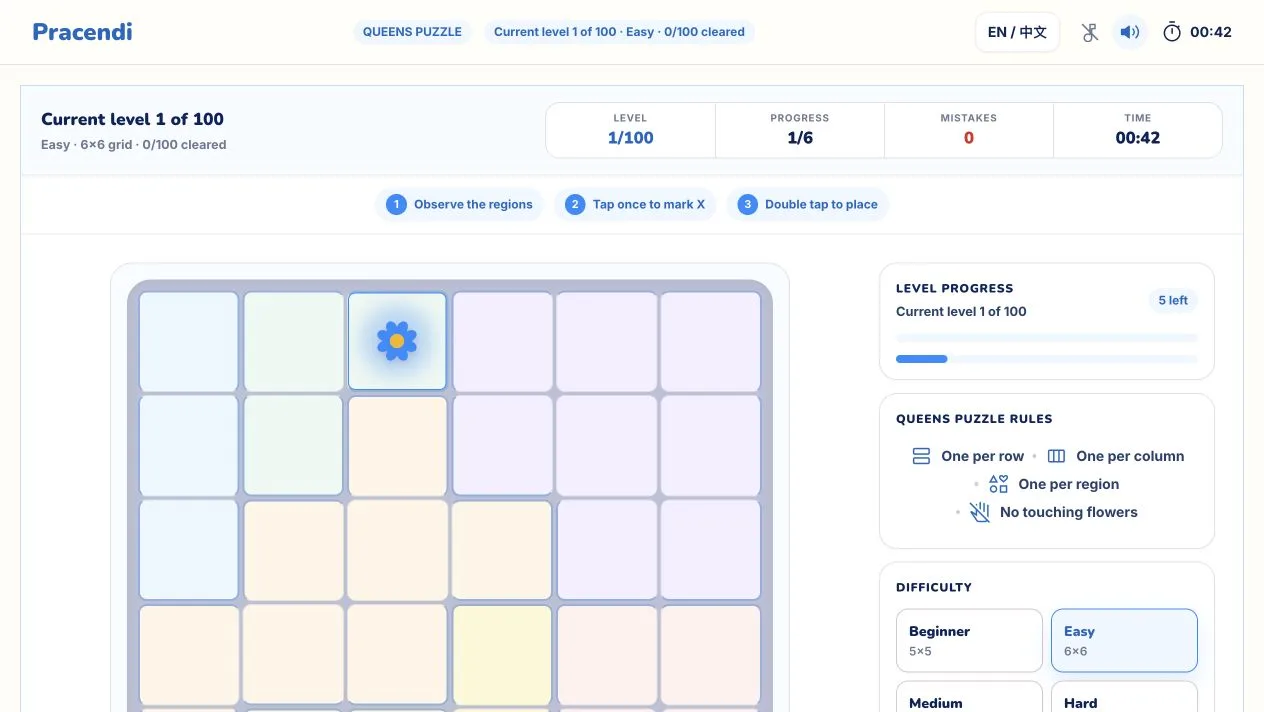
Queens Puzzle online game with the puzzle board and controls
Printable practice
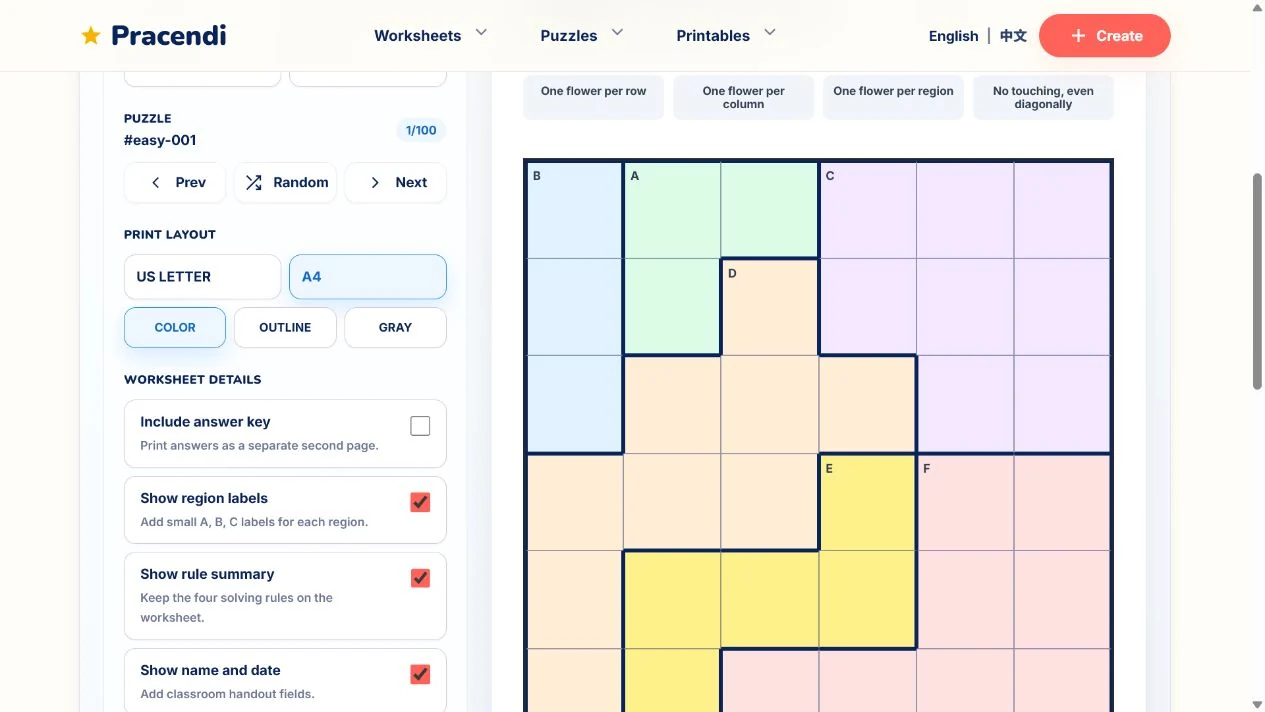
Real Queens Puzzle print studio showing an A4 puzzle worksheet preview
Featured logic activity

Queens

Use row, column, colored-region, and no-touch rules to find the correct cells.

Choose a format

Choose the practice style that fits

Both routes use the same Queens Puzzle activity. Choose interactive browser practice or a paper worksheet.

Queens Puzzle online game with the puzzle board and controls

Online challenge

Start in the browser and work through the grid interactively.

  • No download or printing required
  • Mark X cells and place flowers on screen
  • Hints and completion feedback are available
Start online challenge
Real Queens Puzzle print studio showing an A4 puzzle worksheet preview

Printable practice

Open the print studio for home, classroom, or offline use.

  • A4 and US Letter layouts
  • Color, outline, or grayscale printing
  • Optional answer key on a separate page
Open printable practice
Learning focus

What can children practice?

Queens Puzzle invites children to slow down, compare positions, and apply one rule at a time.

Green magnifying glass illustration

Notice details

Spot differences between cells, symbols, and positions on the grid.

Golden puzzle piece illustration

Understand rules

Use the conditions given by the puzzle to guide each decision.

Three purple building blocks illustration

Judge space

Compare relative positions across rows, columns, and colored regions.

Blue brain illustration

Think independently

Analyze the conditions and work toward a solution step by step.

Common questions

What is the difference between the online and printable versions?
They are two formats of the same Queens Puzzle activity. The online challenge runs interactively in the browser, while printable practice opens the print studio for a paper worksheet.
What help is available during the online challenge?
You can mark impossible cells with X, undo moves, and use the Hint control when you need a useful row, column, region, or cell to review.
Which paper sizes does printable practice support?
The print studio supports A4 and US Letter. You can also choose color, outline, or grayscale printing and include an answer key on a separate page.
Can I use printable practice at home or in class?
Yes. The printable layout includes optional name, date, rule summary, and answer-key settings for home and classroom learning activities.
How can I help when a child gets stuck?
Check one rule at a time: row, column, colored region, then neighboring cells. On paper, cross out impossible cells. Online, use X marks or the Hint control when needed.